Learn everything about our Online Event Platform, Hopin.
We have 3 categories: ATTENDEE, EXHIBITOR, VENDOR
Hopin How To’s & References
I’m an ATTENDEE
Learn all about how to use Hopin as an attendee from the video!
I’m an EXHIBITOR
EXPO AREA
These images show the Main page of Expo, before the user enters your booth


VIRTUAL BOOTH
-
This is a video that’s uploaded to your YouTube, you give us the URL. The video plays inside your booth.
-
In your expo booths, you can now display an interactive Google Slides presentation. You can set this to loop on a timer or you can let attendees navigate the deck on their own. Watch Demo.
Why this matters: With Google Slides in your Expo Booths, it opens up a whole new world of attendee interaction and branding inside your booths. For example, you can leverage storytelling inside the booth, where each slide is a page in a story that the attendee turns. It could be a whitepaper, a tutorial, a game, or a slideshow. These can be as interactive as you want them to be. -
Using your video webcam (similar to Zoom/Hangouts/WebEx video meetings). This will allow your vendor personnel and attendees to interact on live camera (up to 10 people can be on camera) within the booth (and up to 500 attendees can simply watch).
Use RTMP by using YouTube live to stream into the booth
Notes:
You are in charge of your own livestream, including the creative aspect. You will livestream from your computers, webcam (this also supports screenshare), or from YouTube Live/RTMP.
When you are livestream, you might be the only one on video cam. Don’t think you are the only one in the room! There will be others watching you via chat (who are not on video cam)
Moderated or Open or Invite Only.
1) An open vendor booth lets people join on live camera as they please.
2) A moderated vendor booth (you would be the moderator), requires your approval for attendees to join on live camera.
3) Invite only means you would be the only one able to participate on live camera.
Note:
A moderated session is a good way to set up a "queue" where you control who you video chat in the booth and the time at which they enter and leave (i.e., you can boot them out if you wish). Anybody can watch a session, but a moderator controls who is allowed on video.

On the right side, users can view the Booth information, which displays your company information:
Logo - For the best appearance, we recommend using a transparent image file and a round circle if possible. Best dimensions: 1080x1080px.
Company name
Heading
About
Website URL link
Twitter Social Media link
Offer (if any)
If you have LiveStream, here’s what booth visitors will see before you go live.

LEAD CAPTURE INSIDE YOUR BOOTH
Your booth has a Call to Action (CTA) button:
Option A - Visitors will leave their contact info with you. In the example below, you see “Register Interest”
Option B - Visitors will go to your web page (you provide us with the URL), so you can say “Download PDF”

Group chat and 1-on-1 chat.
Booths have their own chat channel (tab) which is visible to anyone currently visiting the booth for Group Chat.
1on1 chat is only possible via the “People” tab inside the Booth (shown on image below) and Direct Messaging (1-on-1 chat) is implemented there.
CHAT INSIDE YOUR BOOTH

VIDEO DEMO OF EXPO AREA + BOOTH
This is a general video made by our online event platform provider (Hopin) that shows how attendees will navigate to your booth, what attendees will see and how they will interact with you, and how your staff can livestream using video
OBS SOFTWARE FOR GREEN SCREEN EFFECT
HOPIN (Our Online Event Platform) KNOWLEDGE BASE
FAQs
-
Only one link URL link to your pre-recorded video (hosted on your YouTube, etc) can be added.
-
The loop setting is for YouTube exclusive (right-click on the video area and choosing Loop on the list will loop the video on youtube.com website)
However, YouTube won't let it loop on third-party resources, that's why the video will only play once. However, any Booth visitor can manually replay it any time.
-
Unfortunately, this is YouTube setting as well, third-party platforms cannot influence this behavior.
-
You'll see the number of viewers in the booth if it's a live session, otherwise it's not visible until after the event.
-
No/not supported
-
Up to 10 people can participate with video if the Booth is set to Set to Session and up to 500 people can watch each Booth. You can have unlimited sessions at your event.
There is a separate chat in your Booth and the general event chat visible for everyone.
-
Yes, only vendor personnel will be able to interact with attendees on live camera within the booth (up to 500 attendees can simply watch). These are moderated sessions only, and IGS Staff will set the vendors as moderators of their sessions so that only vendor staff will be able to use live camera.
If the Booth is set to Meeting Room Session, then it will have a limit of 10 people and the ability to set vendor as moderator to engage with video/audio on the Expo area.
BOOTHS
-
No, this is something only organizers (IGS Summit staff) have the power to do in the event dashboard.
-
After the event, an event summary will be provided that will include a list of all attendees who registered interest in your booth in a format <name>,<email>
-
YouTube videos can be played inside Sessions. Have you ever been in a session and wanted to share a YouTube video so that you can watch it together? Now you can!
You can play YouTube videos directly from YouTube, meaning it's now possible to stream any pre-recorded content you want in a session.
EXHIBITORS
OTHER QUESTIONS
How will we set up a separate meeting, without permission to anyone else to be in?
Go to the People tab. Click the person you want to meet privately. Click "invite to video call" -- this creates a link to a private session where just the two of you can video chat. Example below:

How do I receive Visitor contact info?
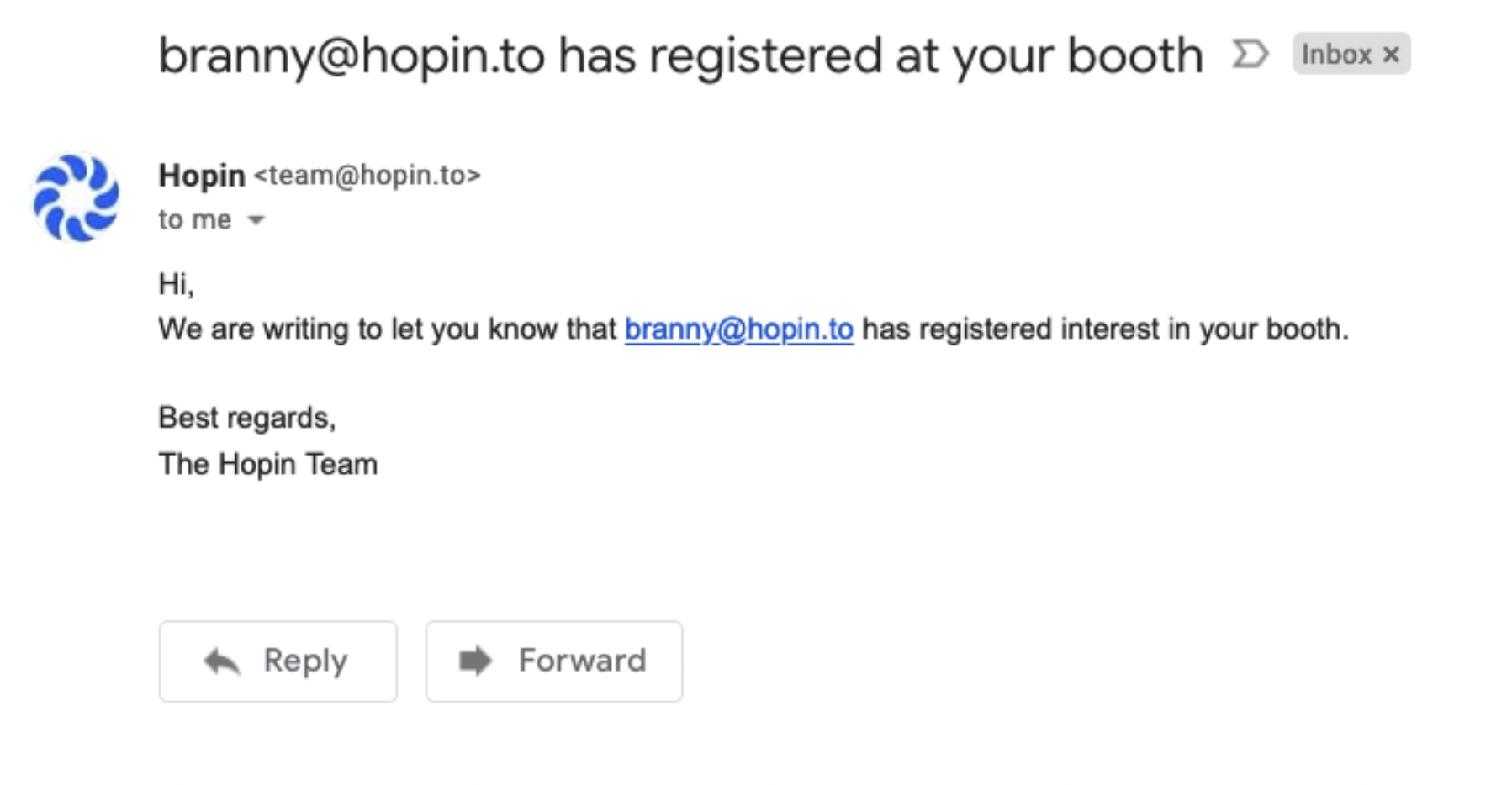
Every "register interest" action will result in one email being sent to the vendor email supplied in the booth. The email looks like this: